
CD-NODE 12


FEATURES
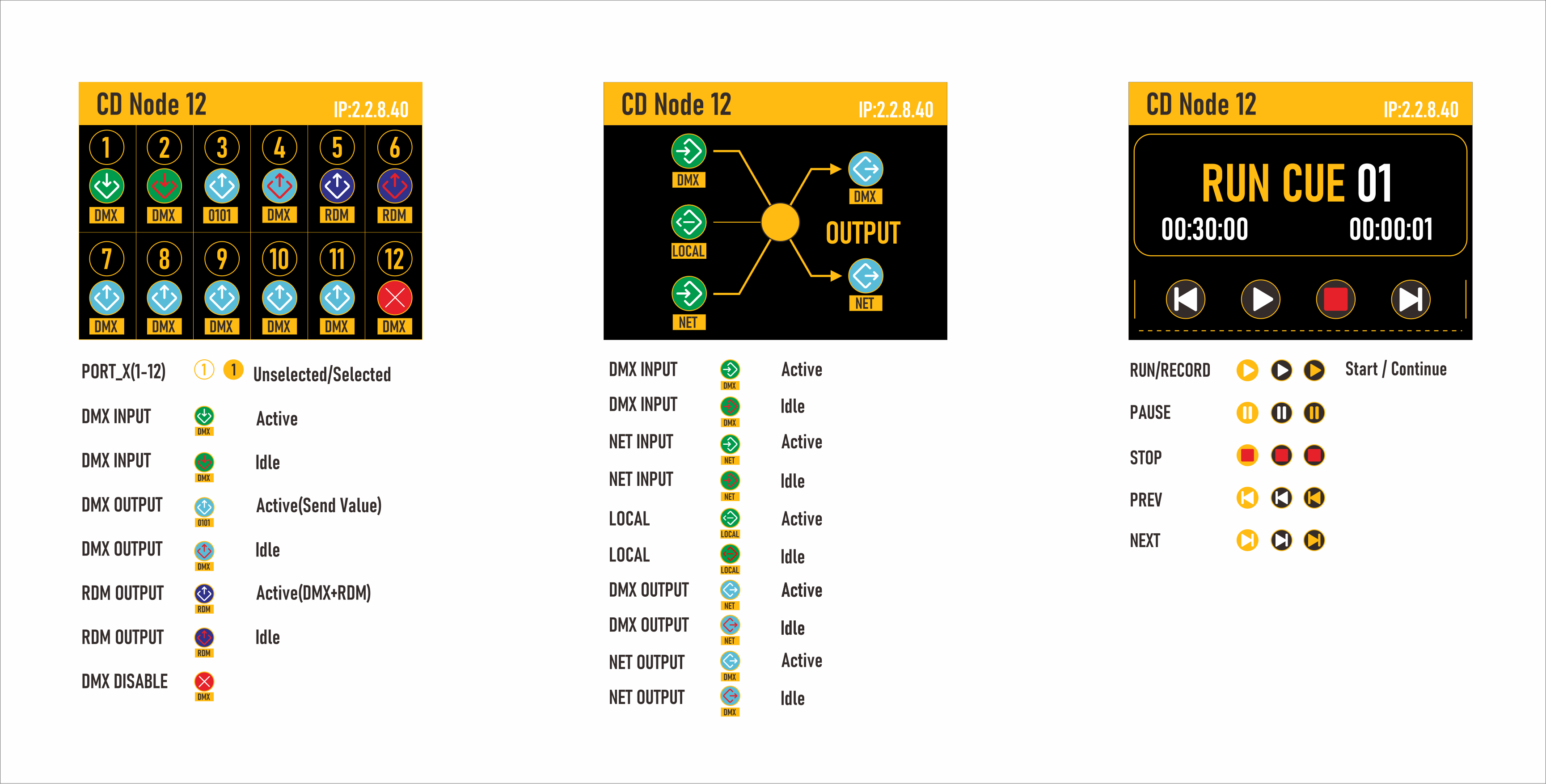
- Simple and efficient configuration via the onboard interface
- High port density designed for touring and permanent installations
- Support for RDM, Art-Net and sACN
- Factory and user presets for plug -and -play setups
- Built-in display and encoder for local configuration
- 99 internal cues with programmable fade and delay times
- Advanced cue engine for standalone or backup operation
- Remote input triggers for external control
- Customizable behavior for startup and signal loss ensure your venue is never left in the dark
High density port made for touring and install
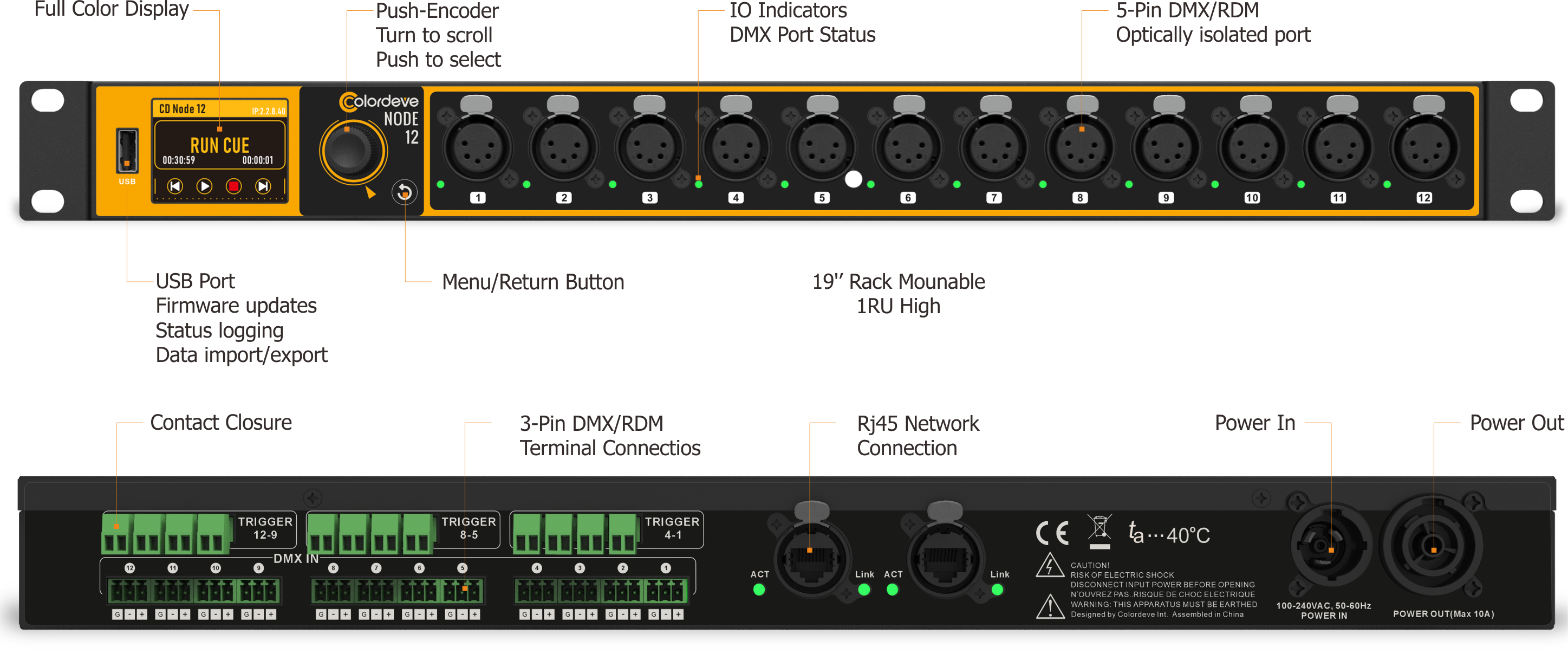
CD-NODE 12 is specifically designed with an all metal, robust full 19″ enclosure for rack mounting, making it an ideal solution for touring, theatre- and studio installs.
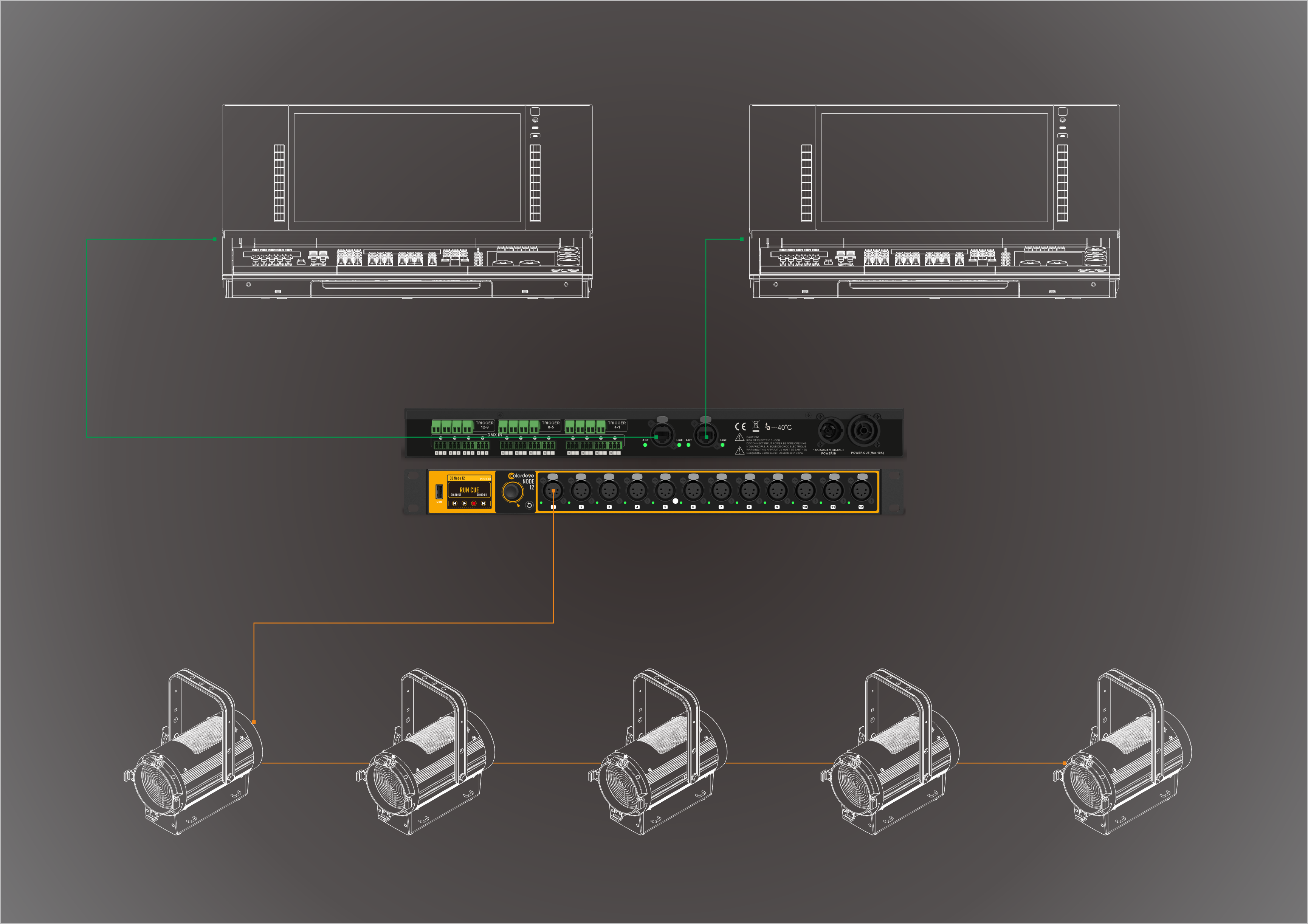
Featuring with 2x Ethercon interfaces, 12x 5-pin DMX ports, and 12x fixed terminals, the CD-Node12 offers flexible configuration in a rugged 19-inch package. Each port is fully optically isolated and can be independently set to input or output mode. The device supports industry-standard protocols like Art-Net and sACN, and its modular processing engine enables HTP, LTP, fading, backup, switching, and custom merging.
DMX Fallback
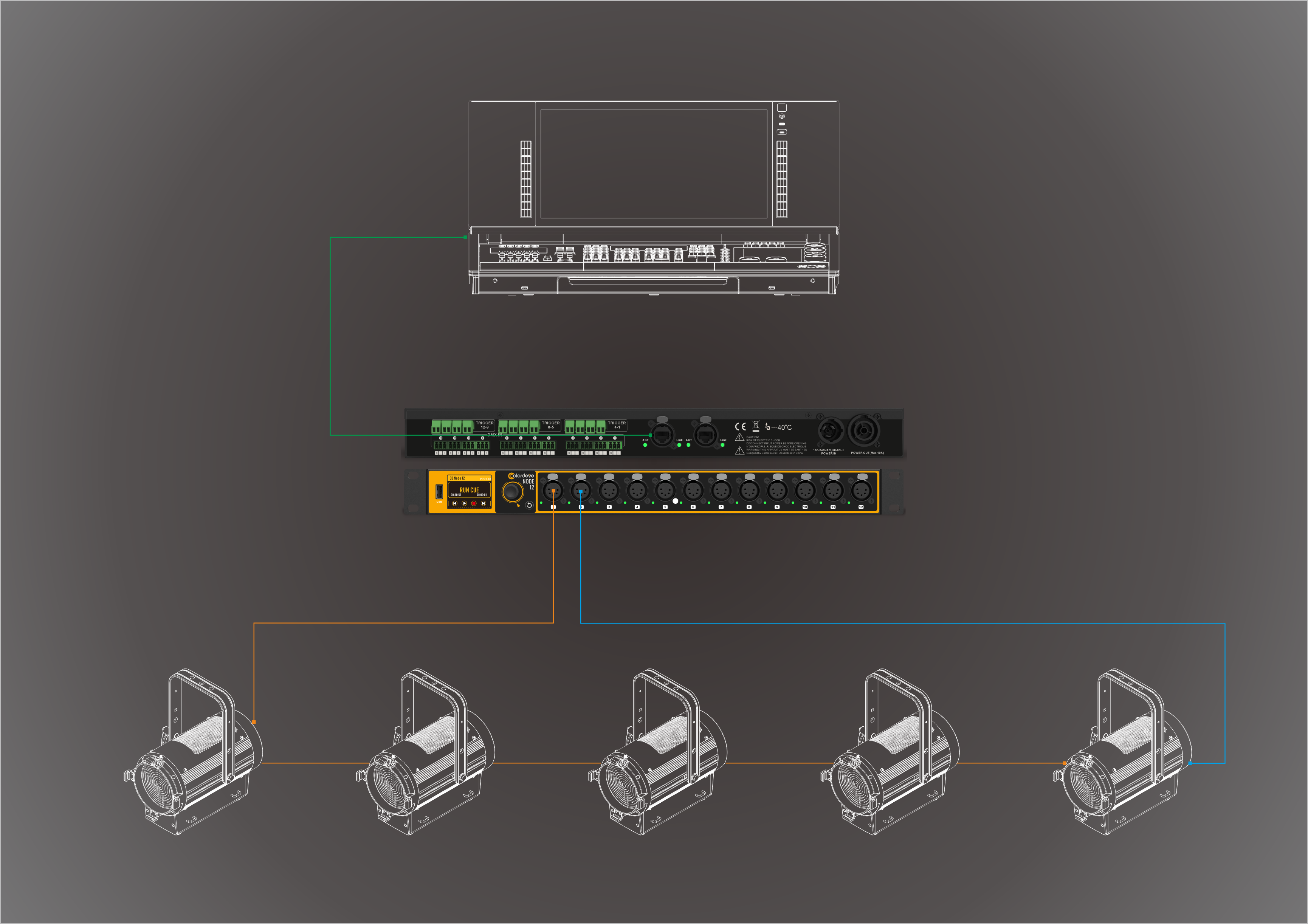
DMX Fallback enables fixtures on a single universe to be connected in a loop to two ports on the CD-Node for redundancy. If a single cable is broken anywhere in the DMX loop, all fixtures can still receive DMX.
Each port can be set to Output, Input or Fallback. DMX Fallback is supported within a CD-Node and also between multiple CD-Nodes.
Merging
The CD-Node supports merging, configurable per port. The merge options are: Off, HTP, LTP, Toggle, Backup, X-Fade, Switch.
When set to HTP, for each channel on that universe, the node uses the highest level received from all sources sending to that universe.
When set to LTP, for each channel, the CD-Node uses the data received from the latest source. The CD-Node only switches to data from another source when that source's data has changed in value or when the first source has timed out. LTP merging is only supported for a maximum of two sources.
Intuitive UI
The built-in UI is easy to use. Set up process engines with a simple workflow. Just pick a mode to tell the engine how to handle your lighting data.
Based on the engine's merging or routing rule, the UI shows all possible inputs. Then just connect your input streams and outputs. Save everything as a profile and load it anytime.